
ADD-ONS
Sell add-ons with event tickets
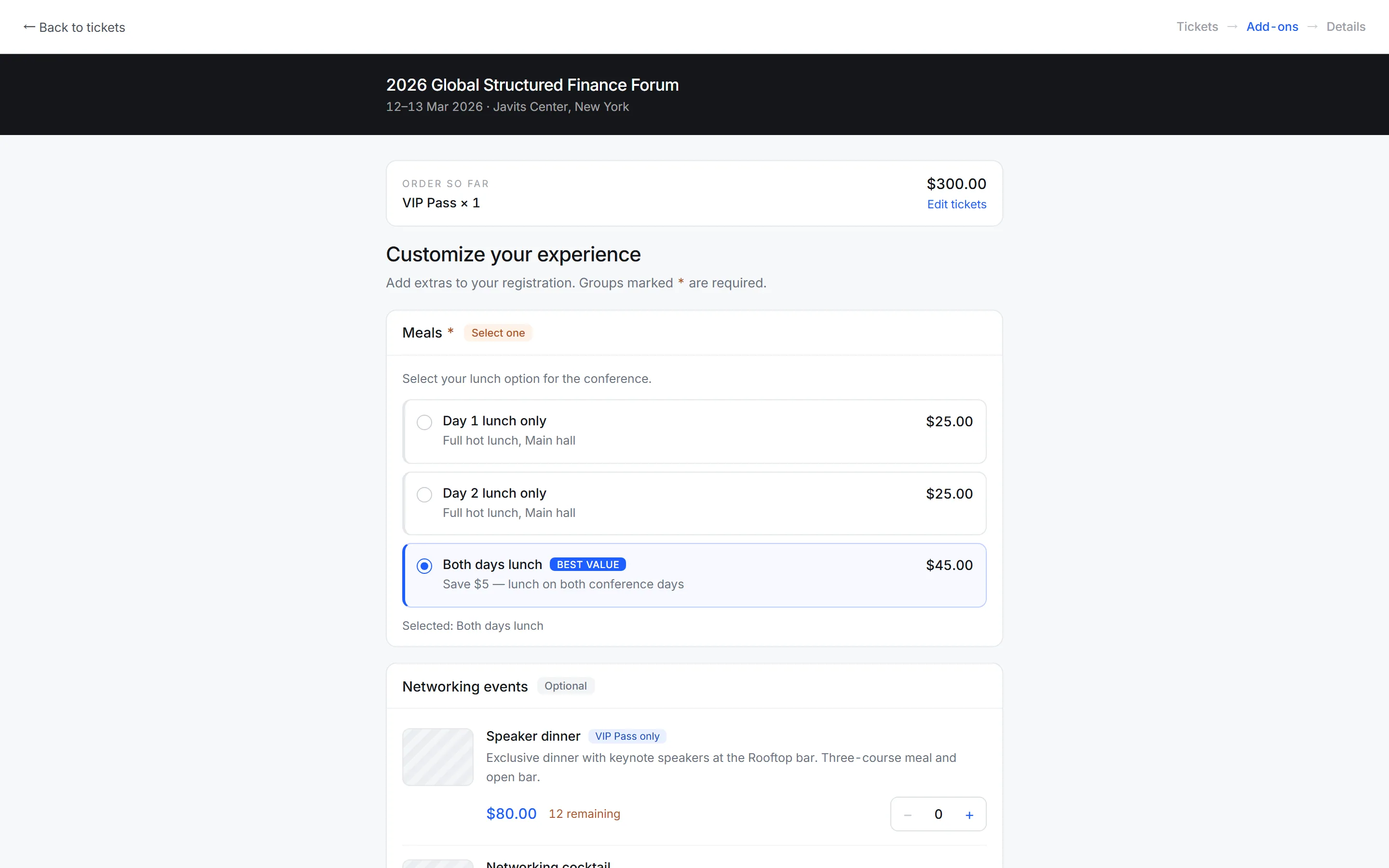
Key features
Flexible selection
Present add-ons as a quantity picker, a pick-one choice, or a multi-select list. The control matches what you are actually selling.
Grouping
Organize add-ons into groups such as Meals or Extras so a long list stays scannable. Groups appear as sections in the checkout.
Required or optional
Make a group mandatory when every attendee must choose — a dietary option, for instance — or leave it skippable.
Ticket-specific
Restrict add-ons to certain ticket types so speakers, partners, and standard attendees only see what applies to them.
Inventory tracking
Set stock limits per add-on and get low-stock warnings before something sells out. Sold-out items stop being offered automatically.
Order integration
Add-ons appear in the order summary, the confirmation email, and revenue reports as their own line items, so catering numbers are easy to pull.
How it works
- 1
Create add-ons
Define what you are selling and how attendees pick it.
- 2
Set the rules
Group them, mark groups required, and limit by ticket type or stock.
- 3
Sell at checkout
Attendees add extras in the same flow as their ticket.
Frequently asked questions
Anything that goes alongside a ticket — meals, workshops, merchandise, networking dinners, or transport. Each add-on has its own price, description, and stock limit.
Yes. Mark a group as required and attendees must make a selection before completing checkout. This is useful for dietary choices where you need an answer from everyone.
Yes. Restrict any add-on to specific ticket types so speakers, partners, and standard attendees only see the extras that apply to them.
Set a stock limit per add-on. You get low-stock warnings as it runs down, and the item stops being offered once it sells out.
Yes. Add-ons appear as separate line items in orders, confirmation emails, and revenue reports, which makes pulling catering or workshop numbers straightforward.
Yes. Attendees can return to their order and add extras later, subject to remaining stock and any deadline you set.
0% platform fee on every plan — from $99 a month billed annually, with a 14-day free trial, no credit card, fair use on paid tickets (50 registrations / $500).
See pricingReady to run your next event?
Get started in minutes — or try the live demo to see what your attendees get.
- No credit card required
- GDPR-ready
- Multi-currency