
EVENT WEBSITE
How to create an event website
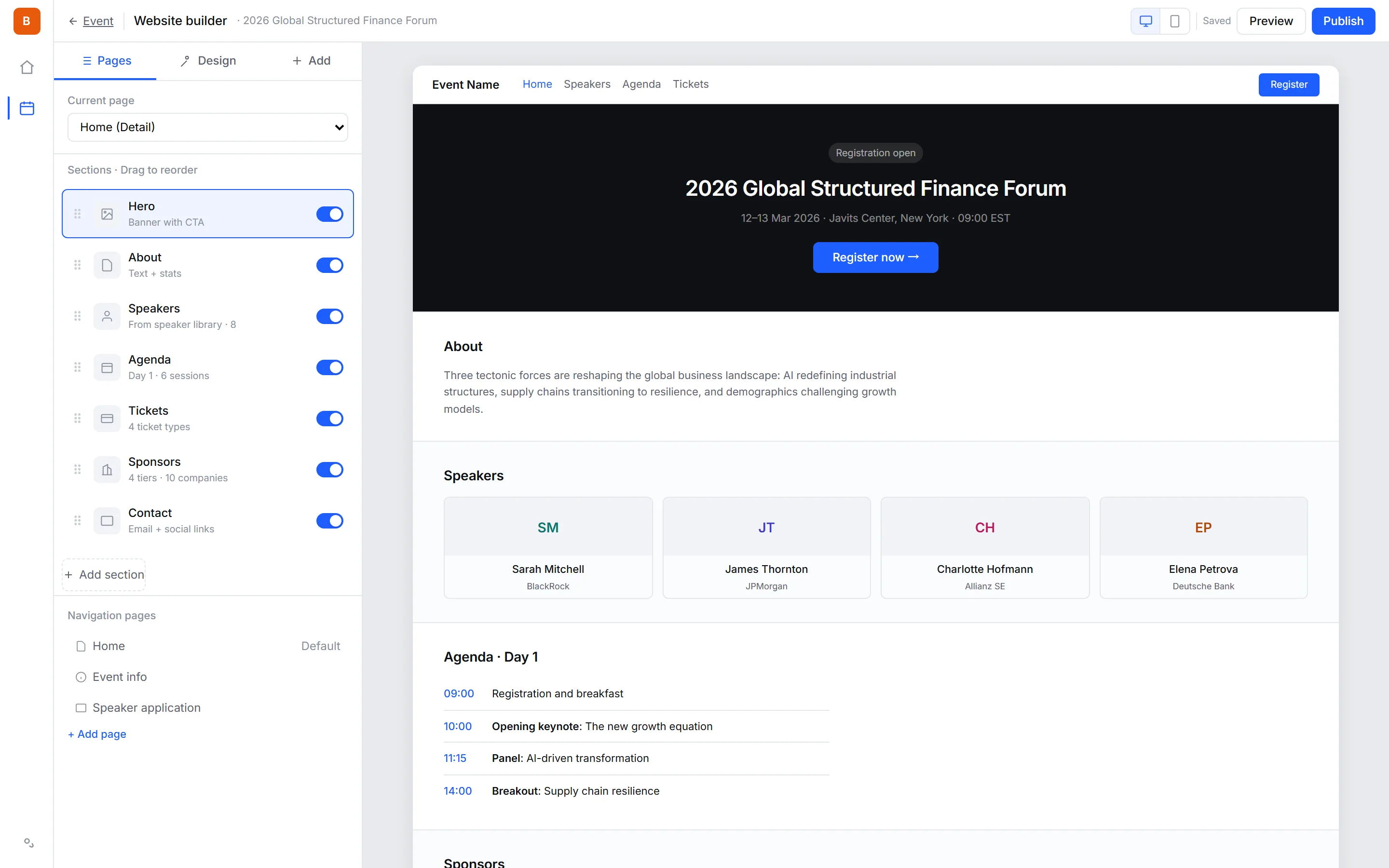
Key features
Templates, AI generation, and your own library
Start from designed light and dark templates built for events — or let the AI assistant draft the whole site from a description, a reference site's link, or a screenshot, borrowing its structure and brand colors. Save any site as an organization template and reuse it for every future event.
Drag-and-drop sections
Reorder Hero, Speakers, Agenda, Tickets, and Sponsors by dragging them. Toggle any section off when it does not apply to your event.
A branded address
Give each event its own address, such as my-event.bagevent.io. It is live over HTTPS the moment you claim it, with no DNS to set up. Serving events from your own domain is on the way.
One event, three languages
Publish the same event in English, Simplified Chinese and Traditional Chinese. Each language version has its own public page and its own publish state, but they share one set of tickets and one inventory pool, so a seat sold on either page comes out of the same count. Attendees get their confirmation emails in the language they booked in.
Mobile responsive
Every template adapts to phone, tablet, and desktop without separate configuration. Most event traffic arrives on mobile, so layouts are tuned for narrow screens first.
Speakers and agenda
These sections populate automatically from the speaker and session data you already entered. Update a session once and the public site reflects it.
Built-in registration
Ticket selection and registration forms live on the same site — attendees never get redirected to a third-party checkout. Fewer hops means fewer drop-offs.
How it works
- 1
Choose a template
Pick a starter design that fits your event. You can switch templates later without losing content.
- 2
Customize sections
Edit content in place, reorder sections, and hide the ones you do not need.
- 3
Publish
One click takes the site live on your domain, with SSL already in place.
Frequently asked questions
Yes, in English, Simplified Chinese or Traditional Chinese — those are the three languages the platform runs in. You add a language version to the main event and translate the text: the title, the content, and the display names of tickets and form fields. Tickets, prices, inventory and the schedule stay on the main event and are read-only on the version, so both pages sell from the same stock. Each version has its own URL and is published when its translation is ready.
No. The builder is visual — you pick a template, edit text and images in place, and publish. No HTML, CSS, or hosting setup is involved.
Not yet — serving events from your own domain is being built. Today each event can claim a branded address such as my-event.bagevent.io, live over HTTPS immediately with no DNS setup, on every plan. To keep attendees on your own website, embed ticket selection or the full registration form there.
Yes. Pages are server-rendered with proper heading structure, meta tags, and Event schema markup, so search engines can index your event and show rich results.
Yes. Ticket selection and the registration form are part of the site itself. Attendees are not redirected to an external checkout, which reduces drop-off.
Yes. Switching templates keeps your content — sections, text, images, speakers, and agenda all carry over to the new design.
Yes. Every template is responsive by default and is tuned for phones first, since most event traffic arrives on mobile devices.
Yes. Add your Google Analytics 4, Meta Pixel or Baidu Tongji ID in the site editor. Page views are tracked, and each completed registration is sent once as a conversion — a purchase with the amount when money changed hands, a lead when the ticket was free. By default nothing loads until the visitor accepts tracking; visits before that wait and are sent on acceptance, or dropped if they decline. Previews and the editor are never tracked, so your own testing stays out of your numbers.
0% platform fee on every plan — from $99 a month billed annually, with a 14-day free trial, no credit card, fair use on paid tickets (50 registrations / $500).
See pricingReady to run your next event?
Get started in minutes — or try the live demo to see what your attendees get.
- No credit card required
- GDPR-ready
- Multi-currency