
OFFLINE CHECK-IN
Offline event check-in that keeps scanning when venue Wi-Fi dies
Two ways to check people in
Both run on the same attendee list and report into the same live count. Which one you use is a question of scale and of what you need at the door.
Mobile staff app
Staff use their own phones. Nothing to set up at the venue, no hardware to carry, and people can spread out and scan wherever the queue forms.
- Scan with the phone camera
- Works offline once the list is downloaded
- No desk or printer required
- On Google Play today
Desktop check-in app
A staffed registration desk on a laptop, with a badge printer plugged into it. Built for volume, for badge-on-arrival, and for several entrances at once.
- Badges print at the desk as people arrive
- Batch check-in and batch printing
- One-click offline mode for the whole event
- Windows and macOS, works offline
What happens when the venue Wi-Fi drops
Illustrative sample
list downloaded
Every scanner holds the attendee list before the first guest arrives.
token-only QR
The scan is checked against the list on the device. Nothing about the attendee travels in the code.
3 queued
Each check-in is stored on the device with the time it happened, not the time it uploads.
09:41 · 0 queued
The queue uploads on its own. Counts and reports catch up without anyone re-scanning.
The attendee list is downloaded before doors open, so the desk never waits for the network. Check-ins queue on the device and sync automatically once the connection returns — on the staff app and on the desktop client.
Get the staff app
Free with every plan. Staff join an event with a short code you approve — they do not need a BagEvent account of their own.
Key features
QR code scan
Each ticket carries a QR code that scans in under two seconds. The code contains only an opaque token — no personal data is encoded in it, which keeps the scan GDPR-safe.
Badge printing
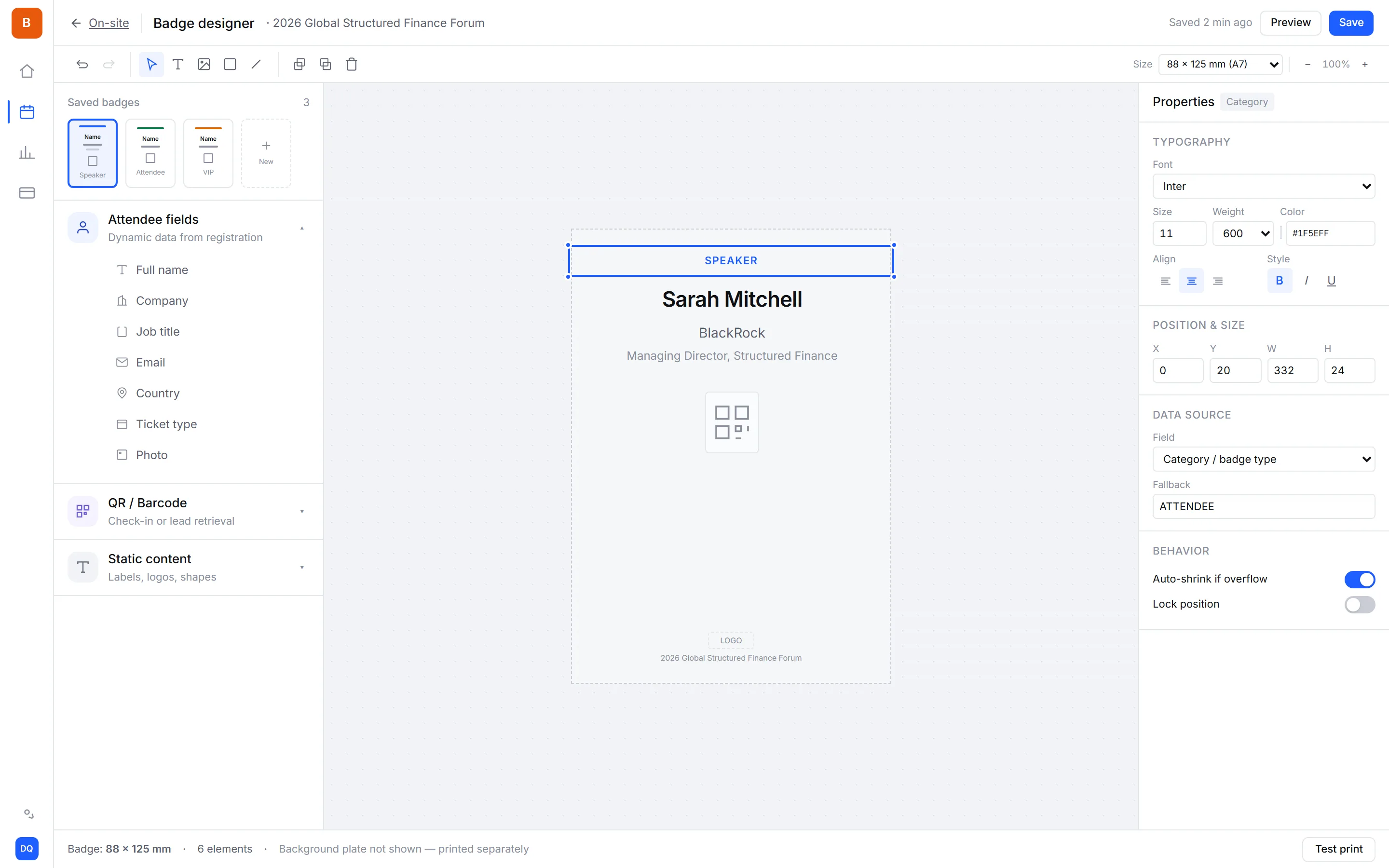
Print badges on demand as attendees arrive, so late name changes are never a problem. The badge designer controls layout, fields, and branding.
Mobile and PDF tickets
Every confirmation email links to a mobile ticket page and a PDF. Attendees show either one at the door — there is nothing to install.
Offline mode
The staff app holds the attendee list locally and keeps scanning without a connection. Check-ins queue and sync as soon as the network returns.
Real-time dashboard
Watch arrivals as they happen, broken down by ticket type and entrance. You can see attendance rate against registrations at any point during the day.
Multiple gates
Run several check-in points and track each one separately, which helps you spot a queue building at one entrance. Available on Business and Enterprise.
How it works
- 1
Send tickets
Attendees receive a QR ticket by email, as a mobile page and a PDF.
- 2
Scan at the door
Staff scan with a phone or handheld. Works offline and syncs later.
- 3
Track attendance
See live check-in rates and spot queues before they build up.
Frequently asked questions
Yes to both. The event check-in app runs on staff phones (iOS and Android) and there is a desktop client for Windows and macOS. Both download the attendee list before doors open and keep scanning with no wifi at all; check-ins queue on the device and sync by themselves when the network returns.
Under two seconds per attendee in normal conditions. Scanning is handled on-device, so speed does not depend on venue network quality.
Yes. The staff app downloads the attendee list in advance and keeps scanning offline. Check-ins are queued locally and sync automatically when the connection returns.
Yes. Badges print on demand as attendees check in, which means late registrations and name corrections are handled on the spot. Layout and branding are set in the badge designer.
No. Attendees just show the QR code from their confirmation email, the mobile ticket page or the PDF. Only your staff use the check-in app.
No. The QR code contains only an opaque token that maps to the registration in our system. Nothing about the attendee can be read by scanning the code with another device.
Yes, on Business and Enterprise plans. Each gate tracks its own throughput so you can see where queues form and move staff accordingly.
Yes. The AI assistant drafts a full on-site run sheet from a short form: how many lanes and staff per site, devices, power and network to ask the venue for, a volunteer training plan with scripts, and contingency playbooks. The numbers come from checkable rules based on large-conference operations, with estimates flagged for you to confirm.
Yes. Design as many badge templates as you need and bind each one to the ticket types it is for. At check-in, the desk prints the template bound to that person's ticket and everyone else gets the event's default, so nobody chooses a design at the desk.
Field guides
- What happens to check-in when the venue Wi-Fi fails?Four different things vendors mean by offline check-in, what actually fails at a venue, and what still breaks even when scanning keeps working.
- How do you run on-site check-in for a conference across multiple hotels?A staffed check-in lane sustains about 200 people an hour. Sizing lanes, spreading the arrival peak, training volunteers, and the eight things that go wrong.
- What should be on a conference badge, and when should you print it?What a badge is actually for, the four things worth printing, why the QR code should carry a token and nothing else, and on-demand versus pre-printed.
0% platform fee on every plan — from $99 a month billed annually, with a 14-day free trial, no credit card, fair use on paid tickets (50 registrations / $500).
See pricingReady to run your next event?
Get started in minutes — or try the live demo to see what your attendees get.
- No credit card required
- GDPR-ready
- Multi-currency